Chrome extension · for AI builders

Click your app,
tell AI what to fix.

Pin notes on your running app — your AI coding agent gets the exact component, source file and style behind every mark.

Chrome 116+ · works on Edge · $6.43 once, no subscription

Works with Claude CodeCursorGitHub Copilot WindsurfCodex — anything you can paste into.

How it works

Three clicks from itch to diff.

1

Summon the panel

Press Alt+Shift+A (Mac: ⌥⇧A) on your running app, or click the toolbar icon. Auto-loads on localhost.

2

Mark what bugs you

Pin a Note to any element, drag a Frame around an area, or sketch with the Pen. Write the change in plain words.

“Make this button bigger and green, like the one in the header”
3

Copy for AI → paste

One click bundles every mark with the exact element behind it. Paste into your agent’s chat and watch the fixes land.

The marks

Four ways to point. One precise brief.

1NOTE click any element · say the change

Point at the thing. Say what you want.

Pick Note and click — a numbered pin lands on the element, you type the change. Drag a Frame around an area, or scribble with the Pen.

Attach clean screenshots per mark, and drop @references to other elements — “make this match @Heading”.

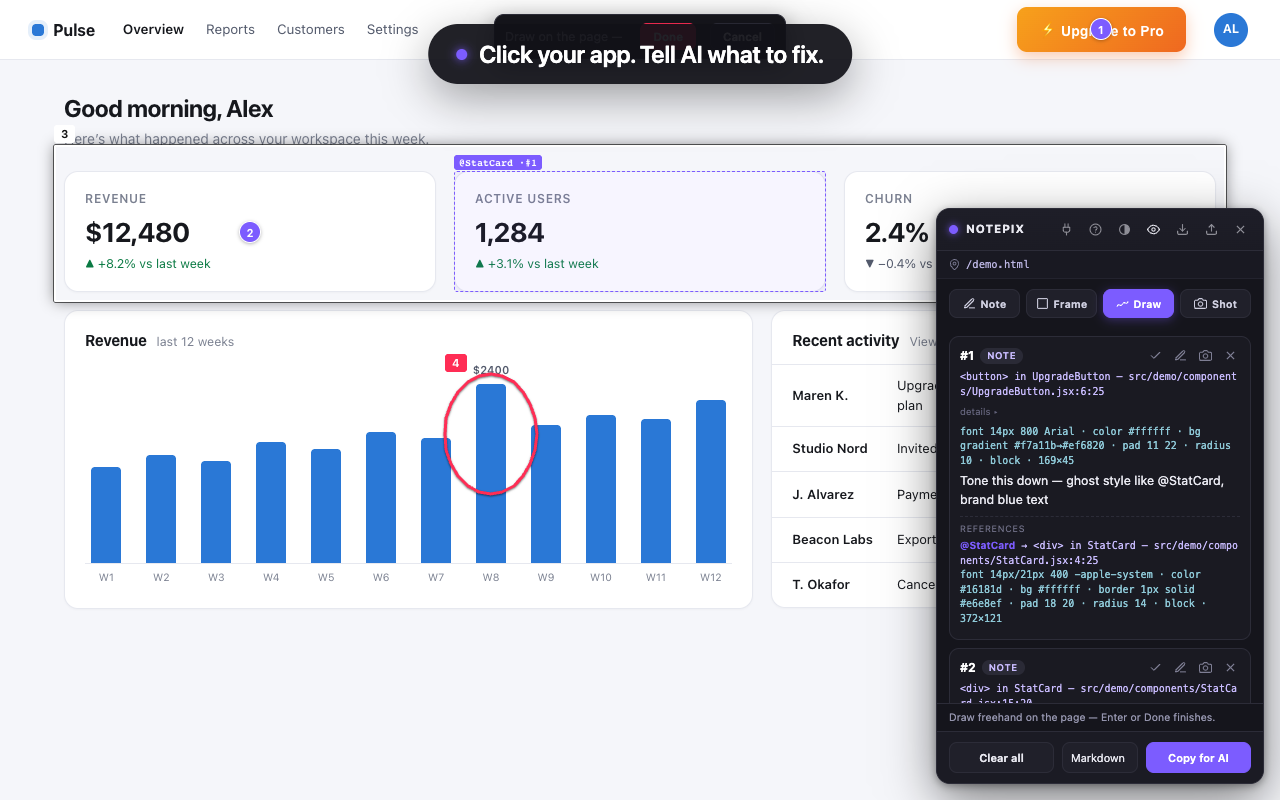
The Notepix panel listing two marks with instructions written in plain words: tone down an upgrade button, equalize gaps between stat cards
2SOURCE src/demo/components/UpgradeButton.jsx:6:25

Every mark knows the code behind it.

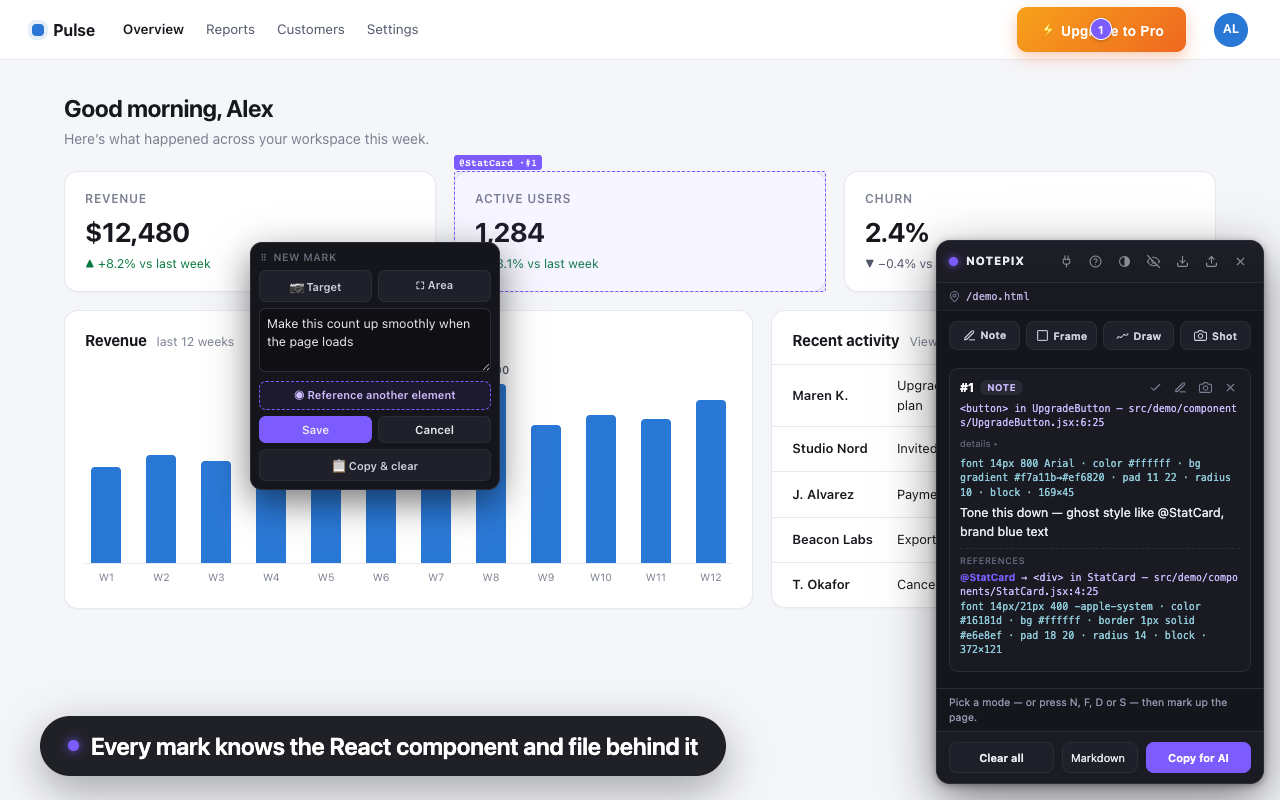
Not div.css-1q2w3e — but <button> in UpgradeButton — src/components/UpgradeButton.jsx:6. React 18/19, Vite, Next.js, CRA. Your agent opens the right file instead of grepping for it.

Each mark also snapshots the element’s computed style and class list. Non-React page? It falls back to a precise CSS selector.

Writing a note in the floating editor with a freehand red circle on the chart; the caption reads: every mark knows the React component and file behind it
3MEASURE font 14px · pad 18 20 · gap ←18 →18

Cite real pixels, not vibes.

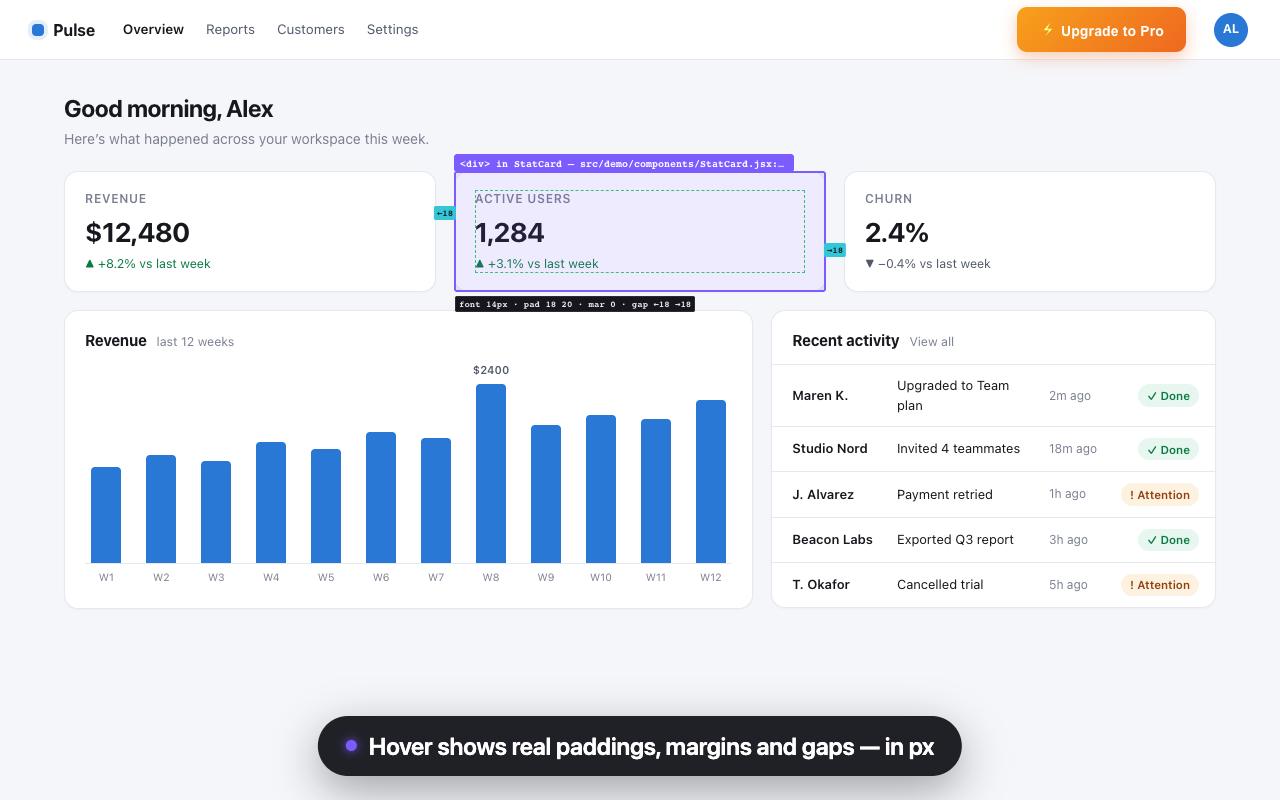
Hovering shows a DevTools-grade readout: padding, margin, and the measured gap to each neighbor — real rendered pixels.

So a note can say “24px between these — make it 8” without ever opening DevTools.

Hovering a stat card shows the component label, padding ring and measured 18-pixel gaps to its sibling cards, with a chip reading font 14px, pad 18 20, gap 18
4BRIEF markdown · plain text · JSON · Claude in Chrome · MCP

One click. One brief any agent can act on.

Copy for AI bundles every open mark — element, source, style, instruction — into one paste. Five formats, including a hand-off prompt for Claude Code via Claude in Chrome.

Screenshots leave stamped with their mark’s #id badge — images and instructions can’t get separated.

The loop

Pin. Your agent fixes. The card ticks itself.

LIVE npx -y notepix-mcp setup · plug icon → green

Skip the clipboard: the agent reads marks itself.

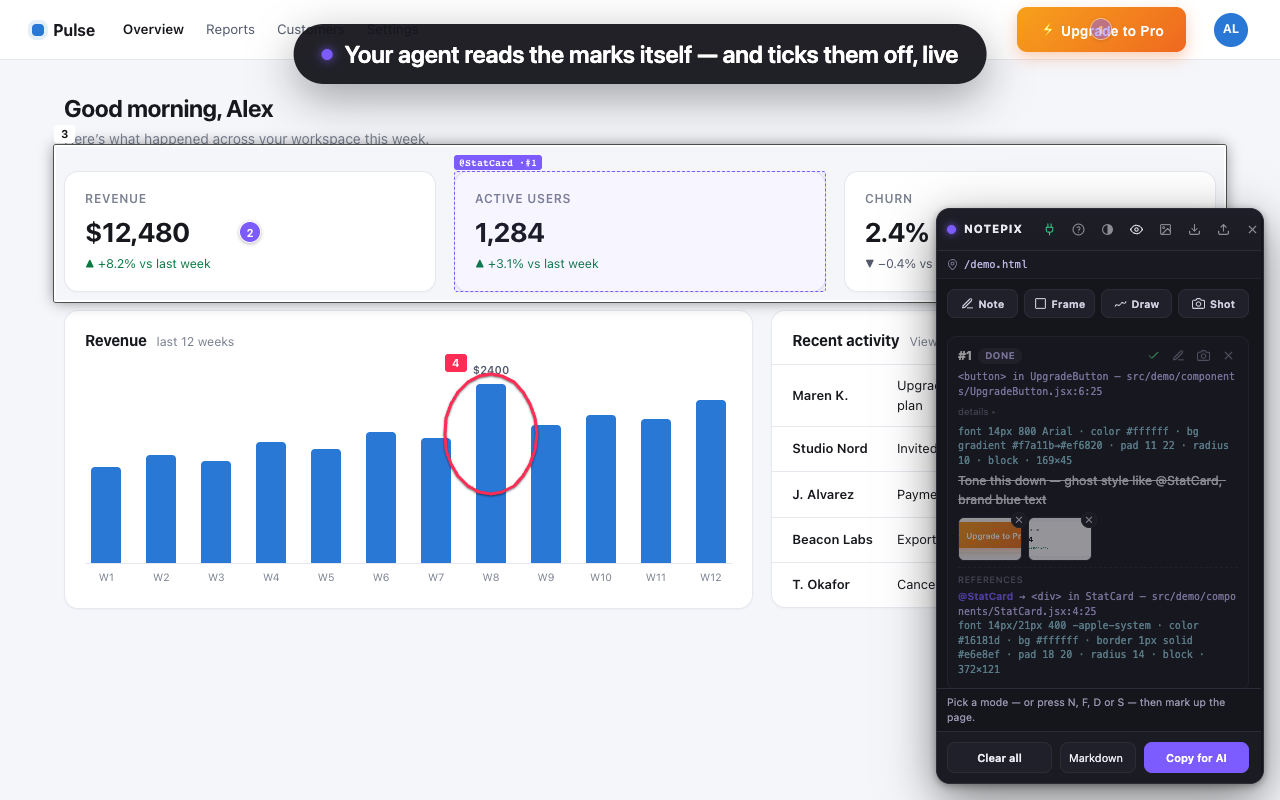
One command registers the local Notepix server with every coding agent on your machine. Your agent pulls each mark straight from the browser and flips its card to DONE in front of you as it fixes it.

Say “fix each mark as I pin it” and keep clicking around your app while the diffs land. All on 127.0.0.1.

The Notepix panel with a green plug icon and mark number one flipped to DONE with its text struck through — ticked off live by a connected AI agent over MCP

Details

Also in the box.

Keyboard first

Alt+Shift+N pins a note without opening the panel. Inside it, N F D S switch modes.

Clean screenshot crops

The 📷 crops just that component — Notepix’s own pins are stripped out first.

SPA-aware, per page

Each route keeps its own marks; the panel follows your client-side navigation.

Export / import

JSON out, JSON in — merge a teammate’s marks or move machines.

Clean page by default

Pins draw only while you’re marking. Hide the panel and your app stays presentable.

Images that bind themselves

Every screenshot is stamped with its mark’s #id — agents match image to instruction by badge, not paste order.

A loop, not a one-shot

Tick a mark ✓ done — it stays for reference but drops out of the next copy. Every delete offers Undo.

Stays out of your way

Ghost mode fades the panel until you hover it. Drag it anywhere, resize from any edge.

Help is a ? away

The ? reopens the 30-second guide. Rebind shortcuts at chrome://extensions/shortcuts.

Private by design

Your app never leaves your machine.

No server, no account

No backend. Notes, screenshots and source paths live in Chrome’s local storage on your machine — nowhere else.

No tracking

No analytics, no telemetry, no crash reporting. What you annotate is your business.

One network call, ever

Zero requests until you enter a license key — then one kind only: verifying it with Gumroad. Never your pages or notes.

Pricing

Free for 7 days. Then $6.43. Once.

$6.43 one-time · yours forever

In review on the Chrome Web Store — the install button goes live with the listing.

Checkout on Gumroad · license key by email · unlocks in the panel

  • 7-day trial, full-featured — no account, no card, nothing to sign up for.
  • One payment unlocks forever — no subscription, no seat math.
  • Your notes never lock — viewing, copying and exporting existing marks keeps working after the trial, paid or not.
  • Moves with you — the same license key unlocks Notepix on a new machine.

FAQ

Questions, answered.

Do I need React for this to work?

No — Notepix marks up any page. On a React dev build (Vite, Next.js, CRA; React 18 and 19) each mark additionally records the component name and source file:line behind the element. On production builds and non-React pages it falls back to a precise CSS selector. Vue and Svelte source resolution is on the roadmap.

Which AI agents does it work with?

Anything you can paste into: Claude Code, Cursor, GitHub Copilot, Windsurf, Codex, Aider, a plain chat window. The brief is plain text on your clipboard — no account or setup required. You can also skip the paste entirely, two ways: with Claude Code connected through Claude in Chrome (pick the hand-off format and it reads the marks off the page), or by adding the optional Notepix MCP server — one command, npx -y notepix-mcp setup, registers it with every coding agent on your machine — so your agent pulls the marks and screenshots itself and ticks them off as it fixes them.

Does it work on Lovable, Replit, v0 or Bolt previews?

Yes — click the Notepix toolbar icon on any http(s) page, cloud previews included, and mark it up. On localhost dev servers Notepix auto-loads after every reload; one-click auto-load for preview domains is the next planned update.

Where do my notes live?

In Chrome’s local extension storage, keyed per page and per SPA route. On localhost dev servers Notepix auto-loads, so notes are still there after every reload. You can export any page’s marks as a JSON file and import them anywhere.

What does Notepix send over the network?

Nothing leaves your computer — until you enter a license key. From then on there is exactly one kind of internet request: verifying your key against Gumroad’s license API at activation and at most weekly. It carries the key and the product id, never page content, notes or screenshots. If you switch on the optional MCP connection, that one goes to 127.0.0.1 — your own machine — and nowhere else. The full policy is on the privacy page.

What happens when the trial ends?

Creating new marks asks for the one-time $6.43 unlock. Everything you already made stays viewable, copyable, exportable and deletable forever — your notes are your data.

The keyboard shortcut doesn’t do anything?

Alt+Shift can collide with keyboard-layout switching, especially on Windows. Open chrome://extensions/shortcuts and rebind “Toggle the Notepix panel” to anything you like — the toolbar icon and right-click menu always work regardless.

Chrome only?

Chrome 116+ and Chromium-based Edge (tested). An Edge Add-ons listing and other browsers are on the roadmap.